
Ecommerce pricing · 7 Aug 2026 · 13 min read
Auto Parts Price Monitoring Software: A Practical Guide for Online Retailers
Learn how auto parts retailers can monitor competitor prices, automate repricing and protect margins across large ecommerce catalogues with Pricefy.
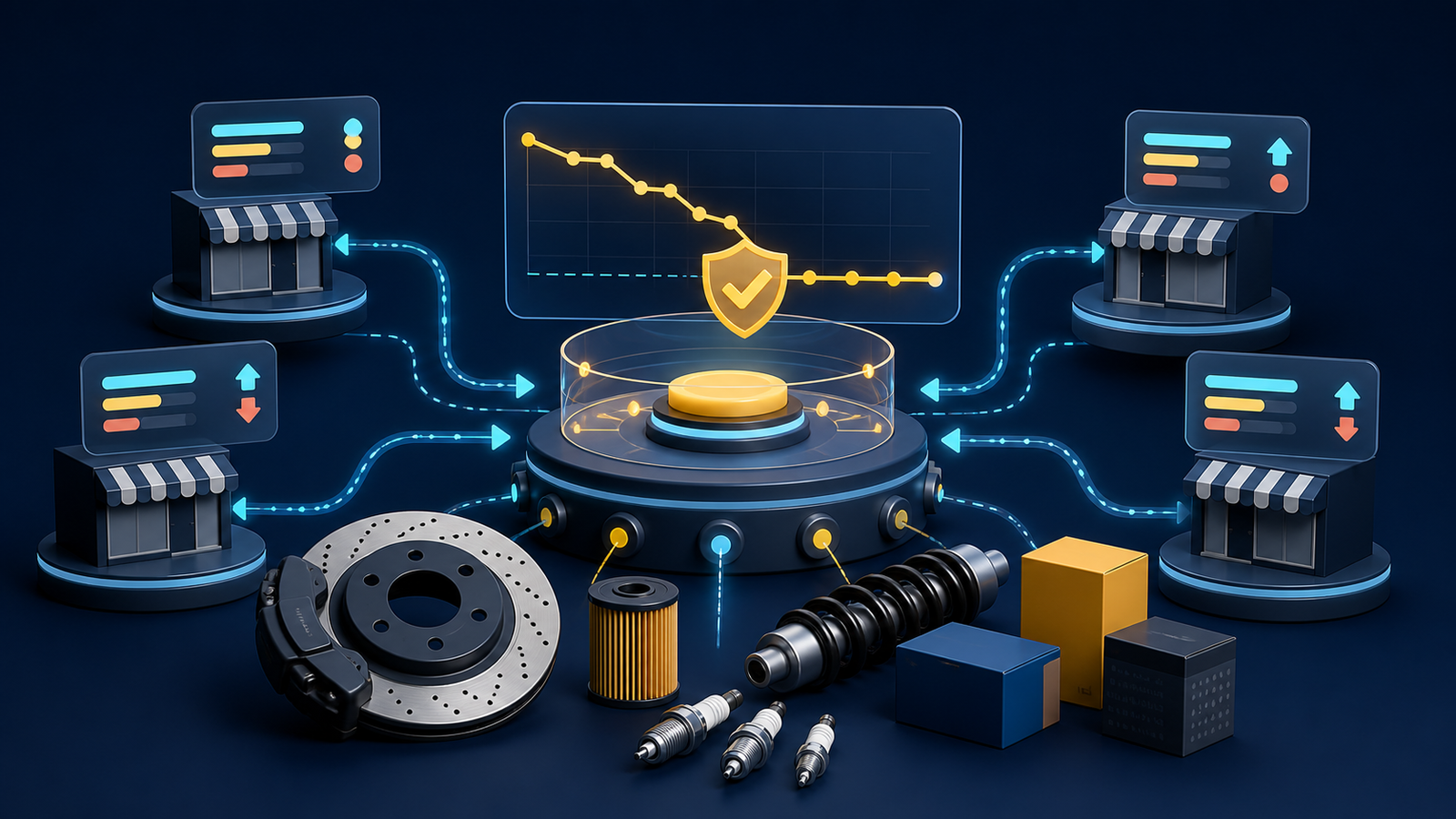
Online auto-parts retailers face a pricing problem that spreadsheets handle badly. A store may carry thousands of brake, filtration, ignition, suspension and service parts, while the same manufacturer references appear across specialist retailers, Amazon, eBay and comparison-shopping results. Competitors move prices, run temporary promotions and go out of stock at different times. By the time a team finishes checking one category manually, the market may already have changed.
Auto parts price monitoring software automates that repetitive market checking. It connects a retailer's catalogue to matching competitor listings, records price and availability changes, sends alerts and can recommend or apply new prices within rules chosen by the retailer.
Pricefy is worth considering for this niche because it combines competitor discovery, AI-assisted product matching, stock and shipping-cost monitoring, price history, alerts and ecommerce repricing. This guide explains how an online parts retailer can use those capabilities without starting an uncontrolled race to the bottom.
Why auto parts retailers need a specialised pricing workflow
The opportunity is substantial. The Auto Care Association's 2025 ecommerce forecast estimated US online automotive aftermarket sales at approximately $23 billion excluding third-party marketplaces and $44.6 billion including marketplaces. It also forecast total market growth above 5% annually through 2030.
That demand creates intense price visibility. A buyer searching a manufacturer part number can compare several sellers within seconds, but price is only one part of the offer. Availability, delivery date, shipping cost, warranty, brand, seller reputation and confidence in vehicle compatibility all affect the decision.
Auto parts also create operational complications that generic repricing advice often overlooks:
- Large catalogues contain fast-moving service parts and extremely slow long-tail references.
- One component may have an OEM number, manufacturer part number, EAN, GTIN, UPC and several seller SKUs.
- Similar-looking products may fit different model years, engines or trims.
- A single component, axle pair and multi-part kit are not equivalent offers.
- Heavy or oversized products can have materially different delivery costs.
- Supplier-cost changes can make yesterday's safe price unprofitable.
- Brands may operate advertised-price policies that require separate monitoring and legal review.
The objective is therefore not “always be cheapest.” It is to see the market clearly enough to choose when to compete, when to hold margin and when a competitor listing should not influence your price at all.
What auto parts price monitoring software should capture
| Data point | Why it matters for parts retailers | Common mistake |
|---|---|---|
| Exact product identity | Prevents a kit, pair, alternative brand or different fitment being treated as the same item | Matching on a short title alone |
| Current advertised price | Shows whether the store is above, below or aligned with comparable sellers | Reacting to an old cached price |
| Stock status | An unavailable low-priced competitor may not deserve to be matched | Lowering price against an out-of-stock offer |
| Shipping cost | Large batteries, exhausts and body parts may have a very different delivered price | Comparing item price while ignoring freight |
| Promotion context | Coupons, bundles and member prices may be temporary or conditional | Treating every promotion as the new market price |
| Price history | Separates a genuine market movement from a short-lived discount | Changing strategy after one observation |
| Own cost and margin floor | Stops automated changes from selling below the required contribution | Using purchase cost without fees, fulfilment or returns |
How Pricefy fits an online parts catalogue
Pricefy imports catalogues from Shopify, WooCommerce, Magento, BigCommerce, PrestaShop and Wix, with CSV and API routes available for other systems. Its matching process uses codes such as EAN, GTIN, UPC and SKU first, then textual and visual comparison when standard identifiers are absent. That is useful for branded aftermarket parts sold by many retailers under consistent references.
Once products are matched, Pricefy can monitor public ecommerce sites and marketplaces, including Amazon and eBay. Its current product pages describe price, stock, shipping-cost and history tracking, plus email, Slack, webhook and export-based reporting. Monitoring cadence and automation vary by plan and configuration.
For repricing, a retailer can set rules, floors and ceilings; preview proposed changes; use an approval-led process; or enable more automated workflows on eligible plans. Pricefy also offers product-feed management for Google Shopping, Meta, Amazon, TikTok and other channels, which may help a multichannel parts retailer keep monitored prices and outbound feeds aligned.
There is an important limitation: Pricefy is not an automotive fitment database. It does not replace ACES, PIES, TecDoc, year-make-model data or the compatibility logic in your store. Those systems answer “Will this part fit?” Price monitoring answers “How is the correctly matched part positioned in the market?”
A safe eight-step implementation plan
1. Start with a commercial slice of the catalogue
Do not automate 20,000 SKUs on day one. Select a controlled group with clear product references and enough sales to measure: perhaps branded filters, spark plugs, brake pads or wiper blades. Include a mix of high-volume products, margin-sensitive products and items frequently mentioned by customers or sales staff.
A useful first cohort is 50 products because it fits Pricefy's current free plan. The purpose is to test matching accuracy and decision quality, not merely confirm that the software can collect a number.
2. Clean the product identifiers
Review manufacturer, brand, manufacturer part number, EAN/GTIN/UPC, pack quantity and variation data before importing. Preserve leading zeros and do not reuse one identifier across a single item and a bundle. Better catalogue data makes automated matching safer and also improves feeds, search and customer confidence.
For products without standard codes, use a structured title containing the brand and exact reference. Treat visual or text-based matches as suggestions requiring verification, especially where two variants share a housing or image.
3. Verify the offer, not only the component
Before approving a match, compare quantity, included hardware, condition, warranty, tax treatment, delivery region and shipping cost. A pair of brake discs should not be benchmarked against one disc. A remanufactured unit with a core charge is not directly comparable with a new unit sold outright.
Create an exception state for uncertain matches. It is better to exclude one competitor than let a false comparison control a live price.
4. Calculate a true margin floor
A safe floor needs more than supplier cost. Depending on the business, include:
- Inbound freight and duty.
- Marketplace and payment fees.
- Pick, pack and outbound shipping subsidy.
- Expected returns and fitment-related support cost.
- Warranty provision or core handling.
- The minimum contribution required by category.
Define whether the floor is a fixed amount, markup or gross-margin percentage. Test the formula with finance before it becomes a repricing rule.
5. Segment the pricing strategy
One rule should not govern every part. Practical segments include:
- Traffic drivers: frequently compared products where a competitive position matters.
- Availability winners: products where competitors regularly run out of stock and the store can hold a premium.
- Long-tail references: low-comparison products where margin matters more than being first on price.
- Price-sensitive marketplaces: products where position affects visibility or Buy Box competition.
- Protected or controlled lines: products that require advertised-price monitoring or manual approval.
A sample rule might aim to remain within 1% of the lowest in-stock comparable seller while never dropping below the true margin floor. Another might match the market median and increase slightly when every priority competitor is unavailable. These are examples, not universal recommendations; test them against your conversion and profit data.
6. Use stock-aware and shipping-aware comparisons
Configure the workflow so an unavailable seller cannot automatically drag down your price. For products with material freight differences, compare a delivered-price estimate rather than the headline amount. If the tool cannot normalise a particular surcharge or postcode-specific rate, flag that product for review.
7. Preview before enabling automation
Run the first pricing rules in recommendation or approval mode. Review every proposed change, the competitor that triggered it and the resulting margin. Pricefy's dynamic-pricing page describes a simulator and rollback controls; use them to test the effect of rules before live write-back.
Move to autopilot only after a rule has produced sensible recommendations through promotions, stock-outs and supplier-cost changes. Keep high-value, regulated, unusual or frequently returned products on manual approval.
8. Review exceptions every week
Automation changes the team's job; it does not remove it. Review unmatched products, low-confidence matches, extreme price gaps, floor-blocked recommendations, unexpected stock signals and categories with falling profit. Correct catalogue data and matching errors at their source.
Four pricing rules worth testing
- Competitive band: stay within a chosen percentage of the lowest eligible in-stock competitor, subject to the margin floor.
- Market median: use the median comparable price for products where service and availability justify avoiding the cheapest position.
- Stock-out opportunity: increase toward the next available offer when priority competitors are unavailable, within a sensible ceiling.
- Promotion response: match or partially respond only when a competitor discount persists for a defined period, preventing constant reaction to flash sales.
Measure each rule at category level. A rule that lifts revenue but destroys gross profit is not successful. A rule that protects margin but makes competitive service parts invisible may also need adjustment.
Pricefy pricing for auto parts retailers
Plans can change, so verify the official page before buying. When checked on 7 August 2026, Pricefy listed:
- Free: up to 50 SKUs, five competitors, daily monitoring, AI matching and one feed channel.
- Starter: $49 monthly, or $37 per month billed annually, for up to 100 SKUs and unlimited competitors.
- Pro: $99 monthly, or $74 per month billed annually, for up to 2,000 SKUs, unlimited feed channels and dynamic repricing.
- Business: $189 monthly, or $142 per month billed annually, for up to 15,000 SKUs, autopilot repricing and MAP/MSRP monitoring.
- Enterprise: $499 monthly, or $374 per month billed annually, for up to 25,000 SKUs and dedicated support.
The free plan is useful for proving data quality on a small category. Pro is the first listed plan with dynamic repricing; Business is the more relevant comparison when an established retailer needs autopilot or advertised-price monitoring. Larger catalogues should confirm current limits, update frequency and any custom requirements directly with Pricefy.
When Pricefy is a good fit
Pricefy is most compelling when an auto-parts store sells branded products that competitors also list, maintains useful identifiers and wants monitoring plus ecommerce write-back without building a data pipeline. It is also attractive for a multichannel retailer that wants product feeds alongside pricing intelligence.
Consider a different or additional system when you need vehicle-fitment management, demand forecasting, inventory purchasing, contract pricing, B2B customer-specific price lists or advanced optimisation based on sales elasticity. A large distributor with millions of references may need an automotive-specific enterprise pricing platform rather than a self-serve catalogue plan.
A 30-day rollout for an online parts store
- Week 1: choose 50 products, clean identifiers, connect the store and review suggested matches.
- Week 2: collect baseline prices, stock and shipping information without changing live prices.
- Week 3: define true floors and test two or three rules in simulation or approval mode.
- Week 4: activate the safest segment, monitor exceptions daily and compare results with the baseline.
Track gross profit per order, conversion rate, price-index position, percentage of products blocked by the floor, match-error rate, manual-review time and stock-out opportunities. Expand only when the pilot improves decisions without creating a heavy exception workload.
Research sources
- Auto Care Association 2025 ecommerce trends and outlook for automotive aftermarket ecommerce market estimates.
- Pricefy product and pricing overview for current features, catalogue limits and plan prices.
- Pricefy price monitoring documentation for tracked data and reporting capabilities.
- Pricefy product matching documentation for code, text and image matching.
- Pricefy dynamic pricing documentation for rules, simulation and rollback.
For a shorter overview, read Tooloola's general Pricefy competitor price monitoring guide.
Frequently asked questions
What is auto parts price monitoring software?
It automatically matches an auto-parts catalogue with comparable competitor listings, records prices and availability, alerts the retailer to changes and may recommend or apply prices within predefined margin rules.
Can Pricefy match automotive parts by part number?
Pricefy says its matching uses EAN, GTIN, UPC and SKU codes, with text and image comparison when codes are unavailable. Retailers should still verify manufacturer references, pack quantity, condition and fitment before approving a match.
Does Pricefy work with Shopify and WooCommerce auto parts stores?
Yes. Pricefy currently lists native integrations for Shopify and WooCommerce, as well as Magento, BigCommerce, PrestaShop and Wix. CSV and API options are available for other catalogues.
Should an auto parts store always match the cheapest competitor?
No. The cheapest seller may be out of stock, offer a different quantity or condition, charge more for shipping or operate below your sustainable margin. Use eligible-competitor rules and a true landed-cost floor.
Does Pricefy manage vehicle fitment data?
Pricefy is a price monitoring and repricing platform, not a dedicated vehicle-fitment database. Keep ACES, PIES, TecDoc or year-make-model compatibility data in the appropriate catalogue system.
How much does Pricefy cost?
When checked on 7 August 2026, Pricefy offered a free plan for 50 SKUs. Monthly paid plans started at $49, while dynamic repricing was listed from the $99 Pro plan and autopilot plus MAP monitoring from the $189 Business plan. Verify current pricing before purchasing.