
Logistics software · 10 Aug 2026 · 13 min read
WhatsApp CRM for Freight Forwarders: Stop Losing Quotes and Shipment Updates
A practical WhatsApp CRM workflow for freight forwarders that centralises RFQs, shipment chats, documents, handovers and customer follow-up with TimelinesAI.
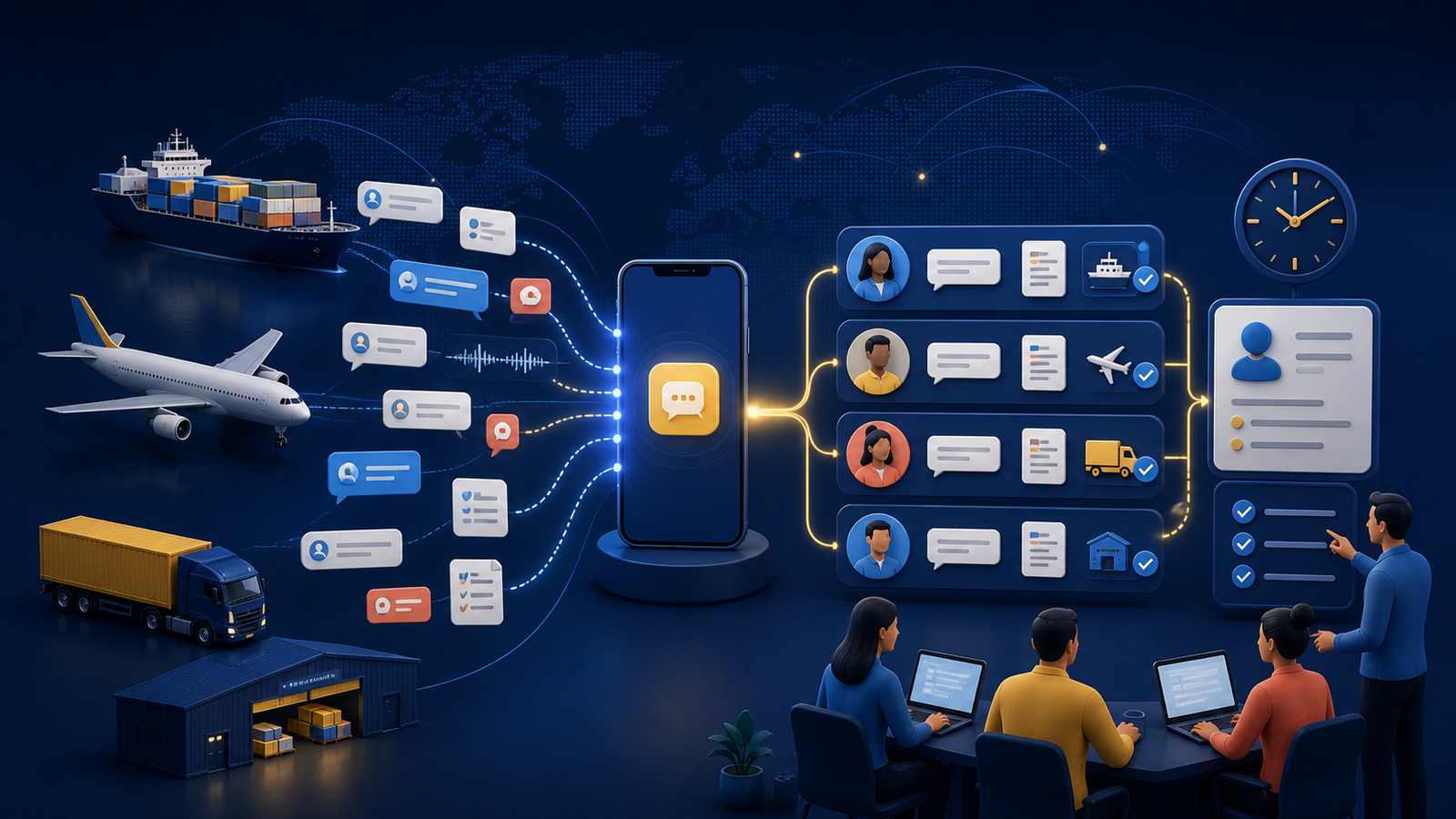
A freight forwarder can lose a valuable shipment before anyone realises an enquiry was serious. A shipper sends an RFQ to one sales representative on WhatsApp. The representative forwards screenshots to pricing, receives a rate in a different group and promises to reply later. Meanwhile, another colleague answers from a second number, the CRM remains empty and nobody owns the next action.
The same fragmentation continues after booking. Commercial invoices arrive in chat, vessel updates sit with operations, and the customer asks sales for a status because that is the only number they recognise. When someone is absent or leaves the company, part of the account history can disappear with their phone.
A WhatsApp CRM for freight forwarders does not move the cargo. It gives the team a controlled way to turn messaging into accountable work: capture the contact, identify the shipment, assign the conversation, retain context, record the next step and make the history visible to authorised colleagues.
TimelinesAI is one option for this workflow. It connects existing WhatsApp or WhatsApp Business app accounts through linked-device QR codes, consolidates multiple numbers in a shared inbox and syncs conversations with CRMs including HubSpot, Pipedrive, Zoho, Salesforce, monday.com and Close. This guide explains where that approach fits and how to implement it without confusing a chat tool with a transport-management system.
Why freight forwarding is a useful long-tail niche
Broad searches such as “WhatsApp shared inbox” are crowded with large customer-service platforms. Freight-specific searches—WhatsApp CRM for logistics, WhatsApp for freight forwarders and shared WhatsApp inbox for logistics companies—have narrower volume but much stronger commercial intent. The current search results contain relatively few detailed resources focused on the complete forwarding workflow.
The use case is also natural. Freight communication is urgent, cross-border and document-heavy. Customers, overseas agents, carriers, warehouses, drivers, customs brokers, pricing staff and operations teams may all contribute to one shipment. A familiar mobile channel reduces friction, but unmanaged conversations create operational risk.
This article deliberately targets independent and mid-sized forwarders. A global enterprise that requires a fully governed, Meta-approved API deployment, deep CargoWise integration, regulated archives and complex service routing may need a larger omnichannel or custom solution.
Where unmanaged WhatsApp creates risk
- RFQs remain personal: a quote request reaches one employee but never becomes a CRM opportunity.
- Ownership is unclear: sales assumes pricing replied; pricing assumes sales handled it.
- Duplicate answers: two people send different rates or ETAs to the same customer.
- Context is forwarded badly: screenshots omit earlier terms, attachments and voice notes.
- Handover happens too late: operations sees the booking only after a deadline or cut-off is close.
- Status enquiries interrupt everyone: customers ask whoever replied last rather than the current shipment owner.
- Documents live in chat: the latest invoice or packing list is difficult to distinguish from an obsolete version.
- Management cannot measure service: response time and unresolved conversations are invisible across personal numbers.
The solution is not simply to add more automation. It is to create one source of truth for ownership and next actions while allowing people to keep using the channel customers already prefer.
TimelinesAI for logistics teams at a glance
| Freight communication need | Relevant TimelinesAI capability | Boundary to keep |
|---|---|---|
| Several sales and operations numbers | Multi-number shared inbox with team access | Each connected number requires an appropriate seat and permissions |
| Clear RFQ ownership | Conversation assignment, labels, filters, comments and reminders | Define routing rules and escalation times before launch |
| CRM visibility | Automatic contact/deal creation and message sync with supported CRMs | The CRM data model still needs shipment and opportunity fields |
| Sales-to-operations handover | Shared history, internal notes and responsible-user assignment | Operational milestones still belong in the TMS |
| Files and voice notes | Support for images, videos, voice recordings and file attachments | Approved final documents should be stored in the formal document system |
| Routine acknowledgements | Workflow builder, autoresponses, CRM triggers, Zapier, Make, API and webhooks | Do not automate unverified rates, customs advice or ETAs |
| Service management | Response-time, message-volume and agent analytics | Measure resolution quality, not speed alone |
A practical WhatsApp CRM workflow for freight forwarders
1. Turn every new RFQ into a record
When a new shipper messages a connected number, create or match the CRM contact and open an opportunity where appropriate. Capture the minimum information needed to qualify the request:
- Origin and destination.
- Mode: air, FCL, LCL, road or another service.
- Commodity and any special-handling requirement.
- Weight, dimensions, container type or volume.
- Ready date and requested delivery window.
- Relevant Incoterm, where confirmed.
- Named account owner and next-action deadline.
Do not let an AI agent invent missing commercial or compliance details. An automated acknowledgement can confirm receipt and request structured information, but a trained employee should validate the shipment before pricing.
2. Assign ownership before discussing rates
Use geography, mode, account or working hours to route the conversation. One named person should own the customer response even if pricing, operations and an overseas agent contribute internally.
TimelinesAI supports responsible-user assignment, labels, filtered views and internal comments. A simple label structure might use New RFQ, Waiting for shipper, With pricing, Quote sent, Booked and Operations. Keep the labels aligned with CRM stages so staff are not maintaining two contradictory processes.
3. Set a response promise the team can meet
An instant acknowledgement is not the same as a quotation. Tell the customer that the request has been received, identify any missing information and give a realistic response window. Create an internal reminder before that promise expires.
Managers should monitor unassigned chats, time to first meaningful response and RFQs approaching their deadline. The purpose of analytics is to expose bottlenecks—not pressure staff into sending premature prices.
4. Keep pricing collaboration private
Use internal notes or the CRM task system to ask colleagues for carrier rates, space, schedules or local charges. Avoid forwarding the entire customer conversation into several uncontrolled groups. The customer should receive one coherent answer from the owner.
Record the quote version, validity, inclusions, exclusions and assumptions in the CRM or quotation system. WhatsApp can deliver or discuss the quotation, but a chat bubble should not be the only record of binding commercial terms.
5. Automate quotation follow-up carefully
When the CRM stage changes to Quote sent, schedule a task or a personalised follow-up if the customer has not replied. Useful follow-up asks whether the routing, price or schedule needs adjustment. Repeated generic nudges can damage trust and may breach messaging rules or consent expectations.
TimelinesAI's workflow builder can react to CRM events, incoming messages and other triggers. Test every automation with internal numbers first, include a human escape route and stop sequences immediately when the customer responds.
6. Make the sales-to-operations handover explicit
A won opportunity should trigger a checklist, not a screenshot. Confirm the agreed route, quote reference, shipper and consignee, cargo details, collection plan, document status, cut-offs, special instructions and customer communication owner.
Reassign or share the conversation with the operations contact while keeping sales able to see the history. Add a private handover note explaining open questions. The customer should not have to repeat information simply because the internal owner changed.
7. Use WhatsApp for timely updates, not as the TMS
Routine milestones—booking confirmed, cargo received, departed, arrived, customs hold, delivery arranged—can trigger clear updates when the underlying event is reliable. The authoritative milestone must remain in the transport-management or shipment system.
If no direct integration exists, TimelinesAI can connect through Zapier, Make, webhooks or its API, subject to the capabilities of the other system. Start with low-risk notifications. Never generate an ETA or customs status from an old chat message.
8. Control group chats and attachments
Freight forwarders often use shipment groups containing the customer, overseas agent or operational partners. TimelinesAI's own transport comparison notes that QR-linked WhatsApp can bring group chats into the shared inbox and CRM, whereas some API or coexistence routes do not expose groups in the same way.
That can be valuable, but define rules: who may create a group, how it is named, who joins, which information may be shared and when it is closed. Group membership can expose phone numbers and operational data, so use it only when appropriate.
Store approved commercial invoices, packing lists, bills of lading and customs records in the authorised document repository. A message attachment may support collaboration; it should not become the only master copy.
9. Escalate exceptions visibly
Late documents, rolled bookings, customs holds and delivery failures need clear ownership. Apply an exception label, create a CRM task, notify the correct manager and agree who updates the customer. Internal comments let colleagues coordinate without sending partial explanations to the shipper.
An automated message can acknowledge that the team is investigating. Final operational advice should come from someone with verified information and authority.
10. Close the loop after delivery
After proof of delivery and billing checks, close the operational conversation, record the result and schedule an account follow-up. Useful questions include whether the communication cadence worked, which trade lanes are coming next and whether the customer wants proactive rate or capacity updates.
Separate service messages from marketing. A customer who used WhatsApp for one shipment has not automatically agreed to receive bulk promotions indefinitely.
Which CRM should a freight forwarder connect?
TimelinesAI currently lists native integrations with HubSpot, Pipedrive, Zoho, Salesforce, monday.com and Close. The right choice depends on the forwarder's existing sales process:
- Pipedrive: a straightforward option for visual RFQ and quotation pipelines.
- HubSpot: useful when sales, marketing and service history already share one contact record.
- Zoho CRM: attractive to firms using the wider Zoho suite or needing configurable modules.
- Salesforce: relevant to larger teams with established data governance and custom workflows.
- monday.com: useful when shipment-adjacent tasks and commercial work are already coordinated on boards.
- Close: suited to sales teams that want communication close to the lead workflow.
Do not choose a new CRM merely because it appears in an integration list. First map the RFQ, quote, booking and account-management stages. Then test how TimelinesAI creates contacts, matches phone numbers, records group messages, handles multiple deals and applies permissions.
TimelinesAI pricing for a freight team
Pricing changes, so verify the official page before purchasing. When checked on 10 August 2026, monthly pricing was listed per seat:
- CRM Integration — $25 per seat: CRM connections, workflow builder, automation, API and collaboration basics. Full shared-inbox access is limited compared with the next plan.
- Shared Inbox — $40 per seat: full team inbox access, filters, unlimited chat history and 500 recurring automated or mass-message credits per seat.
- Mass Messaging — $60 per seat: higher messaging allowance, larger attachments and campaign-oriented features.
TimelinesAI currently offers a 10-day trial without requiring a credit card. Each user connecting a WhatsApp number needs the relevant seat, so calculate the cost using the real number of sales and operations accounts—not only the number of people who occasionally view the CRM.
For most freight teams considering this article's workflow, Shared Inbox is the meaningful comparison because shared visibility is the central requirement. The lowest plan may be sufficient when the objective is primarily CRM logging for individual representatives.
QR-linked WhatsApp or the official Business Platform?
TimelinesAI's established setup connects an existing WhatsApp or WhatsApp Business app account as a linked device by scanning a QR code. This provides fast deployment, continued use of the existing mobile account and access to app-dependent behaviours such as some group workflows.
The official WhatsApp Business Platform follows a different operating model, with Meta business setup, message templates and platform policies designed for managed business messaging. It may be preferable when an organisation needs formal API governance, very high scale or a provider architecture built around the official platform.
Neither route should be selected from convenience alone. Review current WhatsApp terms, number ownership, security, device continuity, message rules, group requirements, retention, regional privacy obligations and the vendor's latest transport support. TimelinesAI publishes a current comparison of QR, coexistence and WABA approaches; use it as a starting point and verify anything material during the trial.
A 30-day pilot
- Week 1: connect two or three controlled numbers, define permissions and map CRM stages.
- Week 2: sync conversations, test contact matching and assign incoming RFQs without automating outbound messages.
- Week 3: add reminders, handover notes and one low-risk acknowledgement workflow.
- Week 4: measure results, correct matching or routing errors and decide whether more numbers should join.
Track unassigned RFQs, time to first meaningful response, quote turnaround, follow-up completion, duplicate replies, lost-context incidents, booked shipments and manual CRM logging time. Audit random conversations for quality and correct data handling.
When TimelinesAI is—and is not—a good fit
Consider TimelinesAI when several employees already use established WhatsApp numbers, customers expect that channel, the company uses a supported CRM and managers need shared visibility without forcing an immediate move to a new public number.
Consider another or additional platform when the business needs a TMS-native customer portal, formal records management, omnichannel ticketing beyond WhatsApp, a fully official API-only architecture, complex contact-centre routing or automated shipment intelligence. TimelinesAI organises conversations; it does not calculate freight rates, validate dangerous goods, file customs entries or track containers by itself.
Research sources
- TimelinesAI product overview for current CRM, inbox and workflow capabilities.
- TimelinesAI pricing for plan features and per-seat prices checked on 10 August 2026.
- TimelinesAI existing-number connection guide for the QR-linked setup.
- TimelinesAI transport comparison for group-chat and deployment trade-offs.
- TimelinesAI workflow builder for automation triggers and actions.
For the platform's broader use case, read Tooloola's TimelinesAI shared WhatsApp inbox overview and guide to managing WhatsApp at scale.
Frequently asked questions
What is a WhatsApp CRM for freight forwarders?
It connects freight-related WhatsApp conversations with customer and opportunity records so teams can assign RFQs, retain shipment context, record next actions and coordinate handovers without relying on one employee's phone.
Can TimelinesAI connect several freight-team WhatsApp numbers?
Yes. TimelinesAI supports multiple personal or WhatsApp Business app accounts in one workspace. Its current pricing model generally requires a relevant seat for each user connecting a number.
Does TimelinesAI integrate with freight forwarding software?
TimelinesAI provides native CRM integrations plus Zapier, Make, API and webhooks. A TMS or freight platform may connect through those routes if it exposes compatible triggers or APIs, but the exact integration must be tested.
Can freight teams manage WhatsApp group chats in a CRM?
TimelinesAI says its QR-linked approach can bring group chats into the inbox and CRM. Group support differs between WhatsApp connection methods, so verify the chosen setup and establish rules for membership, privacy and closure.
Does TimelinesAI replace a transport management system?
No. It manages and synchronises conversations. Rates, bookings, milestones, documents, customs work and shipment records should remain in the appropriate TMS, quotation or document-management system.
How much does TimelinesAI cost for a logistics team?
When checked on 10 August 2026, monthly plans were listed at $25, $40 and $60 per seat. The $40 Shared Inbox plan is the most relevant comparison when several colleagues need full access to the combined inbox. A 10-day trial was available.